
In short
- A literature review needs synthesis (themes, agreements, conflicts, gaps), not one summary per paper.
- Extract passages as excerpt cards that keep their source, so you can rearrange freely without losing citations.
- Sort excerpts by theme, label the arrows between them, and write a summary card per theme.
- The outline view turns the canvas into the order of your draft.
Why literature reviews stall
The most common weak literature review reads like a list: “Smith found X. Lee found Y. Patel found Z.” Reviewers want synthesis: findings grouped by theme, methods compared, contradictions explained and the gap your work fills made obvious.
Synthesis is hard to do in a spreadsheet or a document because you need to see many findings at once and keep moving them. That is what a canvas is for, as long as every piece still knows which paper and page it came from.
A four-step workflow
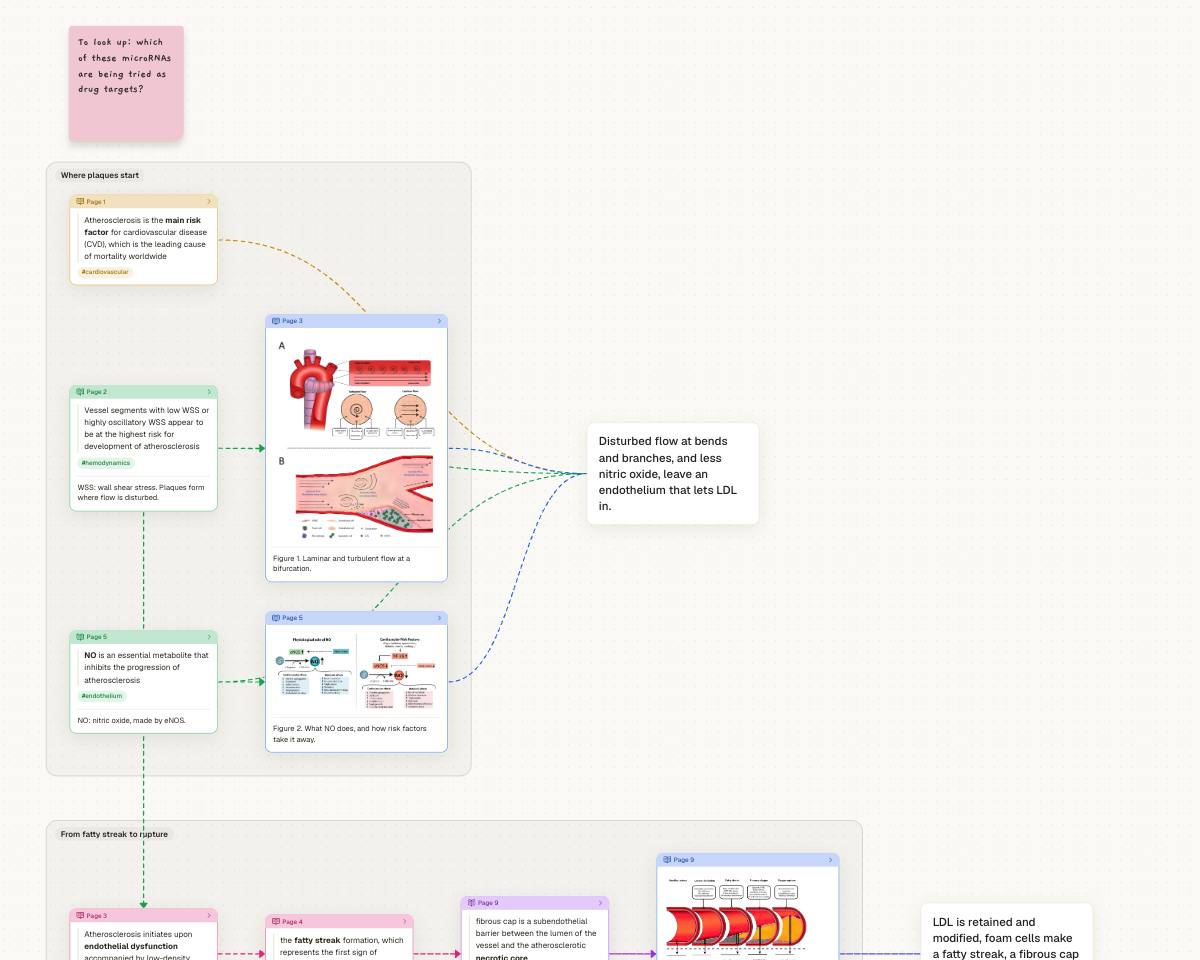
Put the papers in one space and study each in study mode. Highlight the claims, methods and numbers you may cite; cut out the figures and tables. Tag excerpts as you go (#method, #limitation), since tags are what you will sort by later.
On a canvas for the review itself, gather excerpts from different papers into groups by theme (“Where plaques start”, “From fatty streak to rupture”). An excerpt keeps its link to its PDF and page wherever you move or copy it.
Draw arrows between findings and label them: “supports”, “contradicts”, “extends”, “same sample”. A theme where every arrow says “contradicts” is probably a paragraph worth writing.
Select a group and use Summary: a card joined to each excerpt, where you state what the evidence says together and where it disagrees. These cards become your paragraphs.
A synthesis matrix you can click
A classic synthesis matrix is a table with papers as rows and dimensions as columns. On a canvas you can lay it out the same way:
- Columns: the dimensions you compare (sample, method, main finding, limitation).
- Rows: one per paper, or one per theme once you have sorted them.
Unlike a spreadsheet cell, each card here is the passage itself: click it and the paper opens at that page. Select a set of cards and the toolbar’s Grid, Row and Column layouts line them up for you.
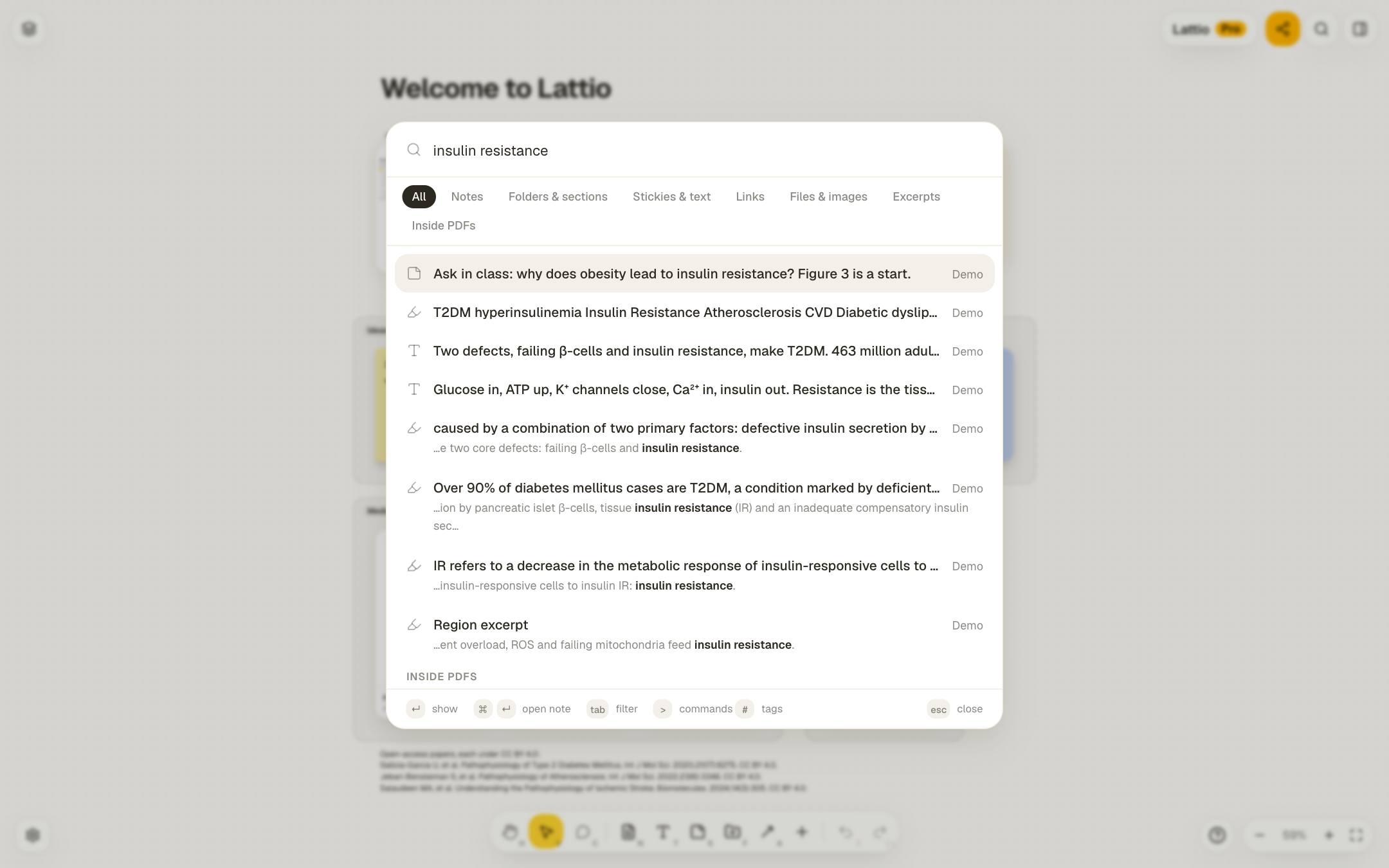
To find every mention of a concept across your papers, search with ⌘K. On Pro, search also looks inside the full text of every PDF you have studied, not only your excerpts.
From canvas to draft
Switch a study canvas to Outline and Lattio reads it as a tree: each summary with the excerpts under it, each excerpt with what depends on it, in the order of the paper. Nothing is moved; it is another view of the same cards. Tab and Shift+Tab move a card under another or out again.
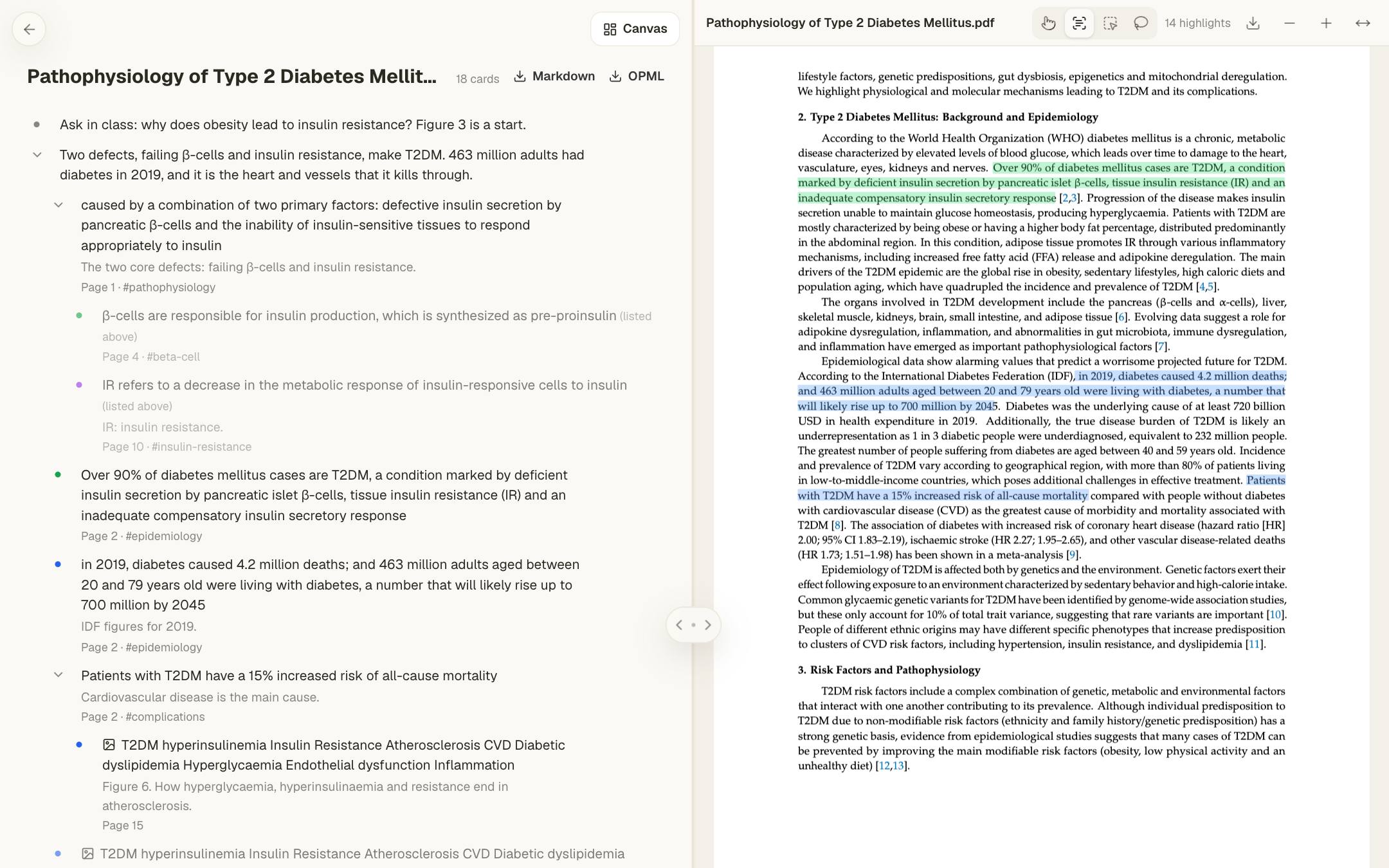
Export the outline as Markdown or OPML Pro to start your draft in a writing app, Obsidian, Scrivener or a LaTeX editor. Notes can be exported as Markdown on every plan; see moving notes between Lattio and Obsidian.
Frequently asked questions
How many papers can I review in one space?
As many as you like on Pro. On Free, five things can be in study per space (PDFs, articles, books or videos); you can still keep and read other PDFs.
Does Lattio work with Zotero or Mendeley?
There is no direct integration. Add the PDF files from your reference manager’s storage folder to Lattio, and keep citations in the reference manager.
Can I review literature with co-authors or a supervisor?
Yes. Signed in, share the canvas by link for viewing or editing, see each other’s cursors, and leave comments on cards.
Can I import highlights I already made?
Yes. Settings → Import highlights reads a Kindle’s My Clippings.txt or a Readwise CSV export, and adds each book with its highlights as excerpt cards.
Start thinking spatially with Lattio
Notes, PDFs, and ideas on an infinite canvas. Free, offline-first, and stored right on your computer.